Several modules share the same controls. They are explained here once; the relevant module pages link to this page instead of repeating the detail.
Schedules & Recurrence
When you click the Schedule button on an SLA (or anywhere else in the platform that uses scheduling — Contract Transactions, Customer Billing, etc.), a Schedule popup opens. The configuration options are the same across all modules.
Timing Mode
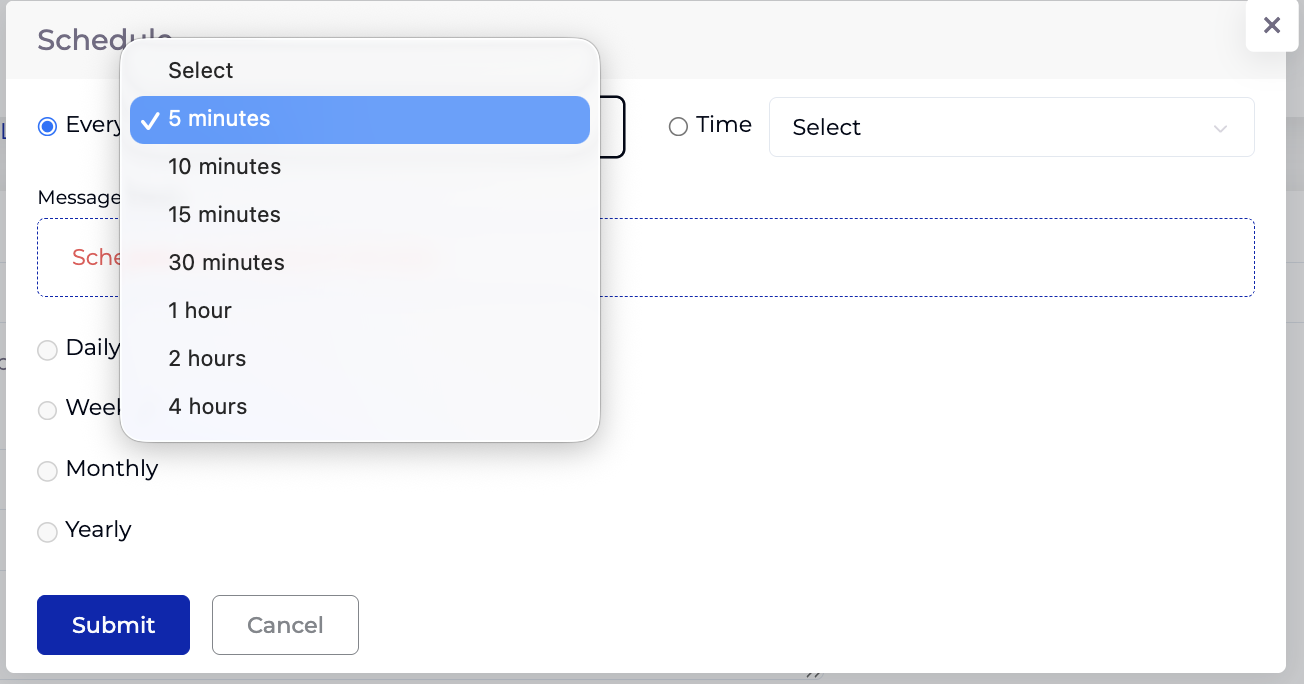
At the top of the popup, choose one of two timing modes:
| Mode | Description | Options |
|---|---|---|
| Every | Run at a fixed interval. | 5 minutes, 10 minutes, 15 minutes, 30 minutes, 1 hour, 2 hours, 4 hours. |
| Time | Run at a specific time of day. | Select a time in 15-minute increments (00:00, 00:15, 00:30, ... 23:45). |
Frequency Options
Below the timing mode, select how often the schedule runs:
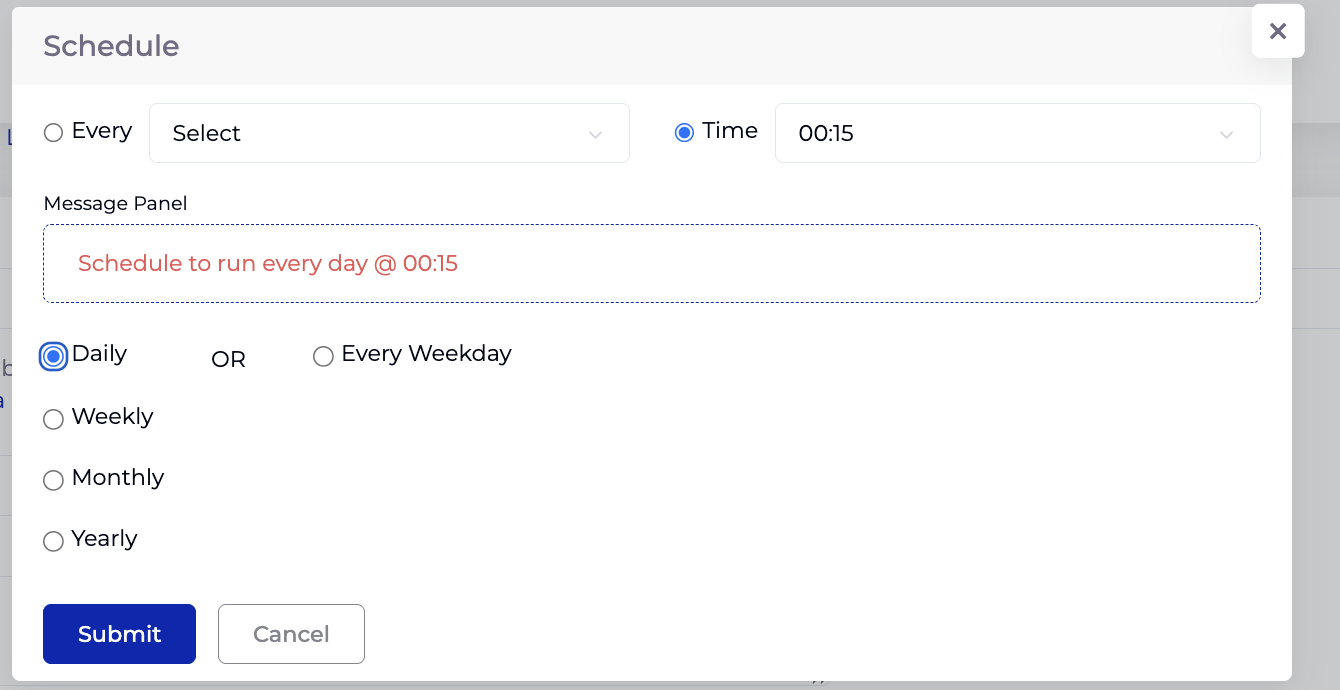
Daily
Runs every day at the configured time. An additional Every Weekday option excludes weekends (Saturday and Sunday).
Weekly
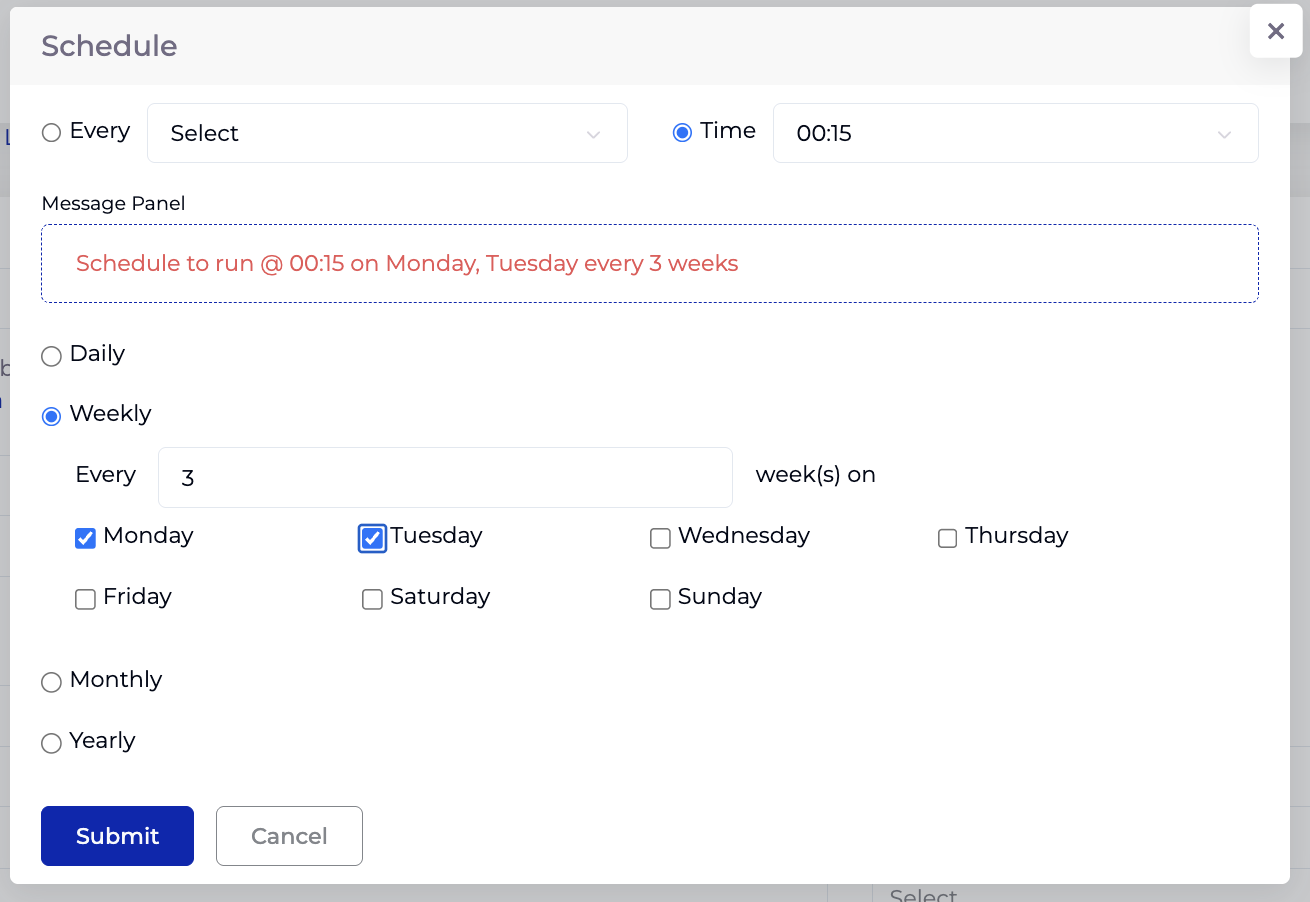
Runs on selected days of the week, with a configurable interval:
- Every [N] week(s) on — set the number of weeks between runs (e.g. every 1 week, every 3 weeks).
- Select one or more days: Monday, Tuesday, Wednesday, Thursday, Friday, Saturday, Sunday.
Monthly
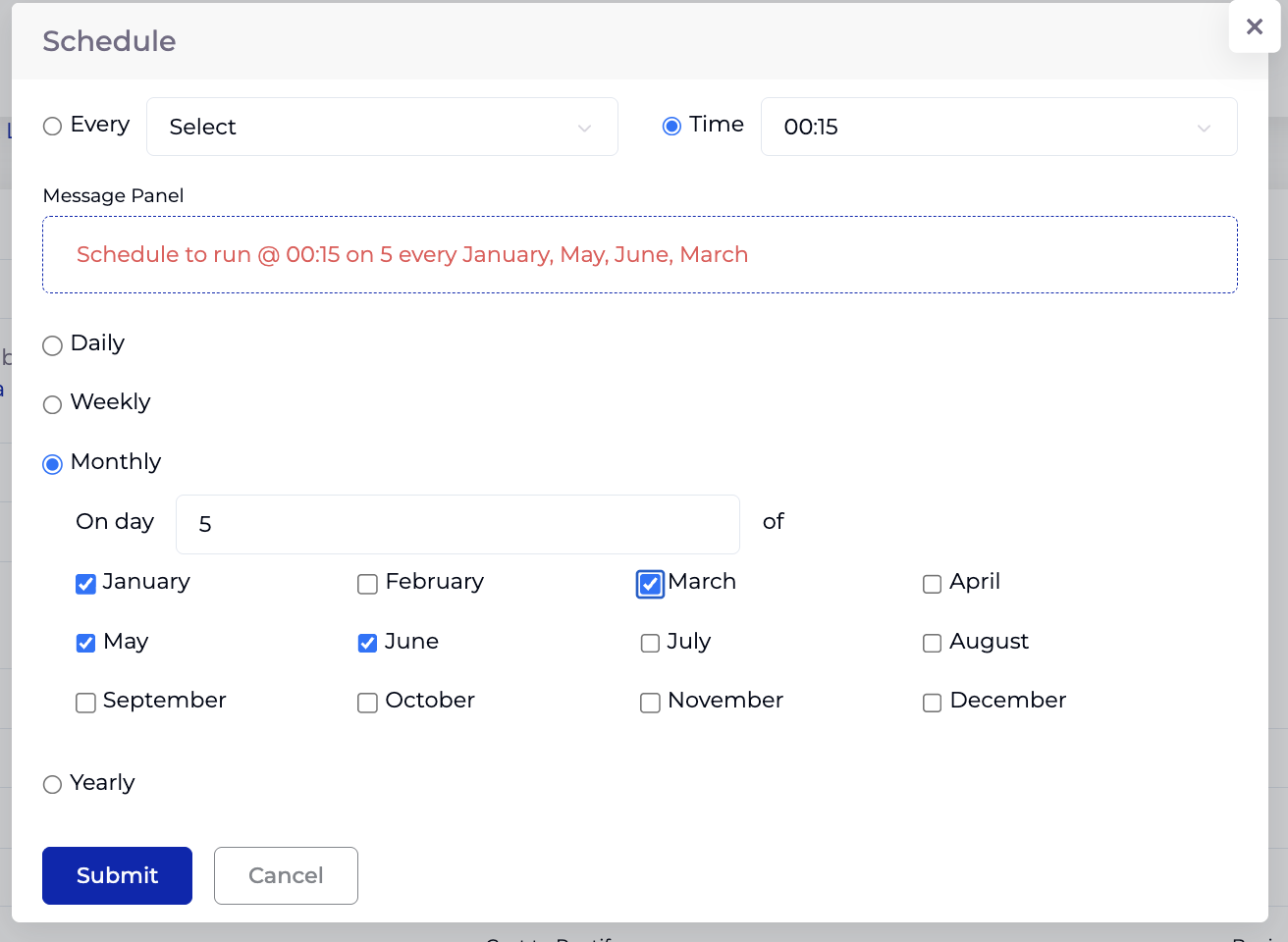
Runs on a specific day of selected months:
- On day [N] of — set the day of the month (e.g. 1, 5, 15).
- Select one or more months: January through December.
Yearly
Runs once a year on a specific day of a specific month:
- Day [N] of every [month] — set the day and select the month from the dropdown.
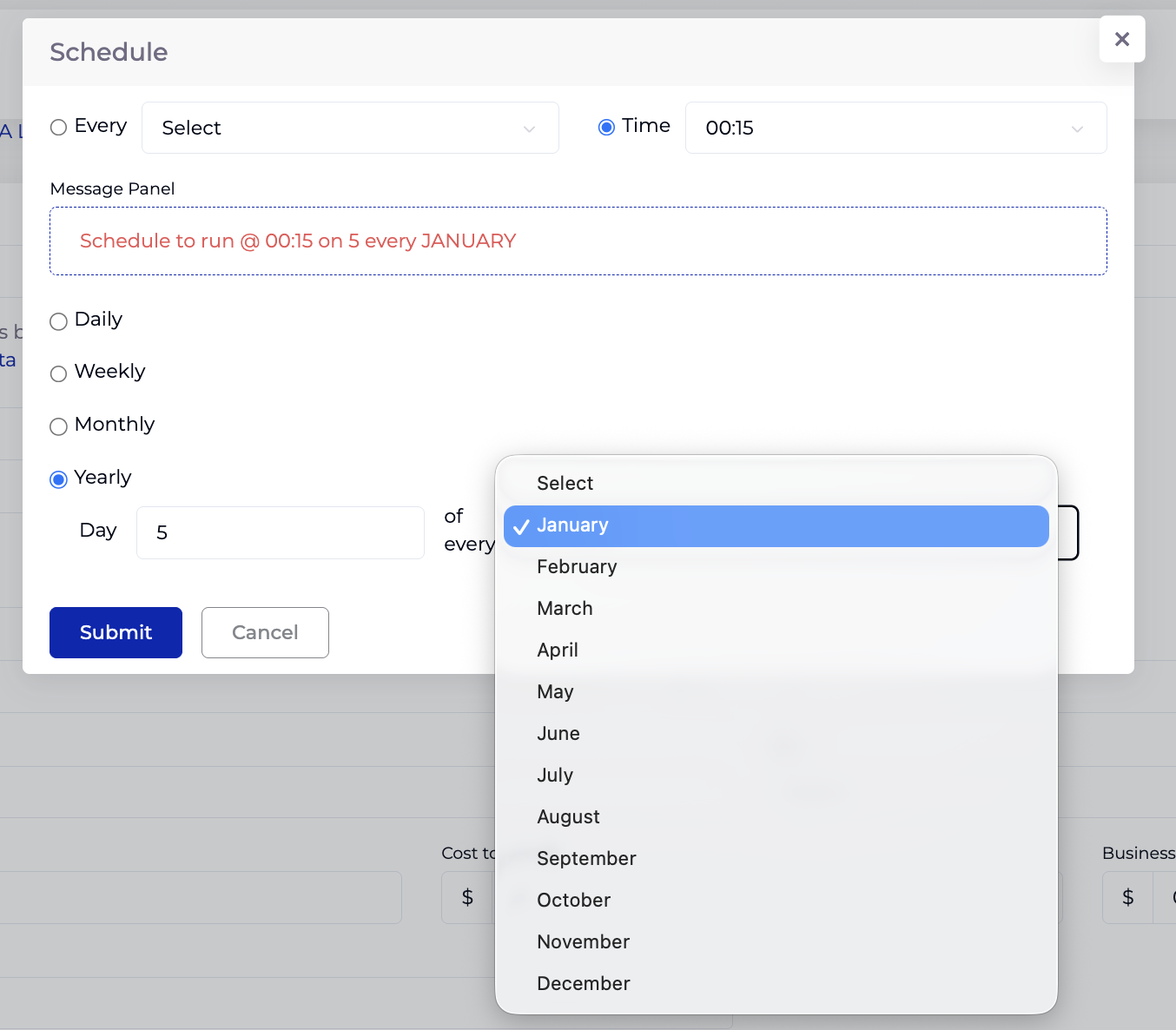
Message Panel
The Message Panel displays a human-readable summary of the configured schedule in red text. This updates automatically as you change settings, so you can confirm the schedule is correct before submitting. Examples:
- "Schedule to run every day @ 00:15"
- "Schedule to run @ 00:15 on Monday, Tuesday every 3 weeks"
- "Schedule to run @ 00:15 on 5 every January, May, June, March"
Click Submit to save the schedule, or Cancel to discard.
Where the Schedule is used
| Module | The schedule controls… |
|---|---|
| SLA | How often the SLA rule is evaluated. |
| Cost Tracker | How often usage data is fetched (inherited from the customer’s billing schedule). |
| Performance Tracker | How often the metric is captured. |
| Contract → Transaction | How often transactions are pulled from the connector. |
| Customer → Billing | How often billing/usage data is collected. |
The recurrence builder
The same Daily / Every Weekday / Weekly / Monthly / Yearly pattern is reused — to define a repeating date range rather than a run frequency — in Variable Pricing events (Cost Tracker) and Service Periods (Organisation → Catalogs).
More shared controls (list / import tables, RAG & risk indicators, file uploads) will be added here over time.